
Hotel management system (PMS)
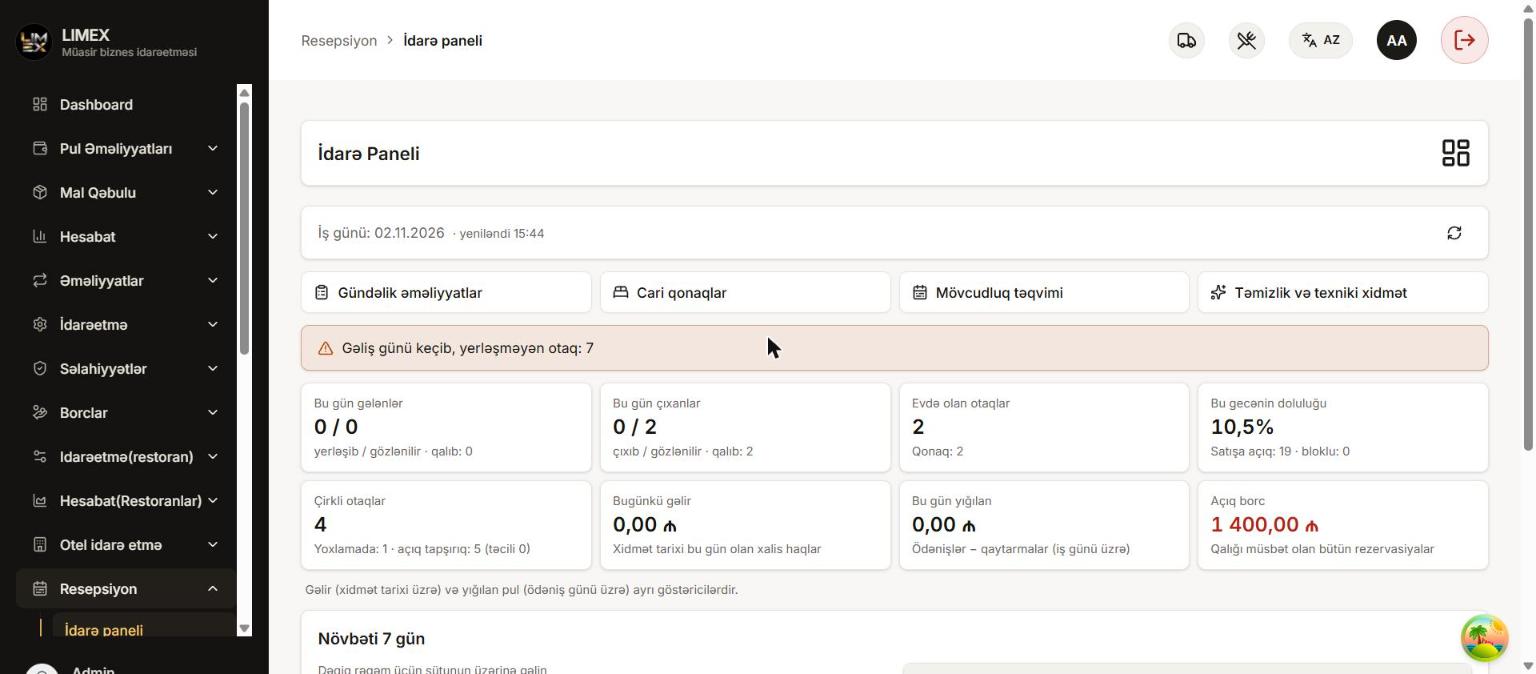
Run your hotel from one dashboard
Every step from reservation to check-out in one system: the front desk sees today’s arrivals and departures, housekeeping updates room status, restaurant and minibar charges land straight on the guest’s folio, and the owner follows occupancy and revenue in real time.
- Reservations, check-in, check-out and the guest folio in one place
- Restaurant and minibar charges posted to the room
- Telegram alerts and a morning summary for the owner
Features
Everything a hotel needs
LIMEX works for anything from a small boutique hotel to a large property. We pick the modules you need.
Room types and rooms
Buildings, floors, room types, capacity and amenities. Rate rules by season and day of the week.
Reservations
Individual and group bookings, option and confirmation, availability calendar, protection against overbooking.
Front desk dashboard
Today’s arrivals, no-shows, departures and occupied rooms — check-in and check-out right from the list.
Check-in and check-out
Walk-ins, room assignment, extend, shorten, room move. At check-out the folio is checked and the room goes to housekeeping.
Room board and housekeeping
Every room’s status on a colour-coded board: vacant, occupied, cleaning, blocked. Housekeeping tasks and maintenance blocks.
Guest folio
Room nights, extra services, discounts, payments and refunds. Nothing is deleted — corrections are posted as reversals.
Restaurant and minibar
A restaurant bill is settled in cash, by card or with “charge to room”; minibar items are posted to the folio together with stock. The restaurant also has a QR menu, loyalty bonus and table reservations.
Cash desk and shifts
Every payment goes to a cash desk, shifts are opened and closed, the counted cash is compared with the expected amount.
Event halls
Halls, capacity by layout, hourly and daily rates, packages, event bookings and a calendar.
Reports
Occupancy, end of day, daily and monthly sales, revenue by room, debts, cancellations — export to Excel and PDF.
Telegram alerts
Cancelled reservations, check-outs with debt, cash differences and the morning summary reach the owner’s phone.
Roles, permissions and 3 languages
Admin, manager, front desk, cashier, housekeeping — each role sees only its own pages. Interface in az/en/ru.
A look inside
Screens from the real system
These screenshots are taken from the working LIMEX hotel system with test data.
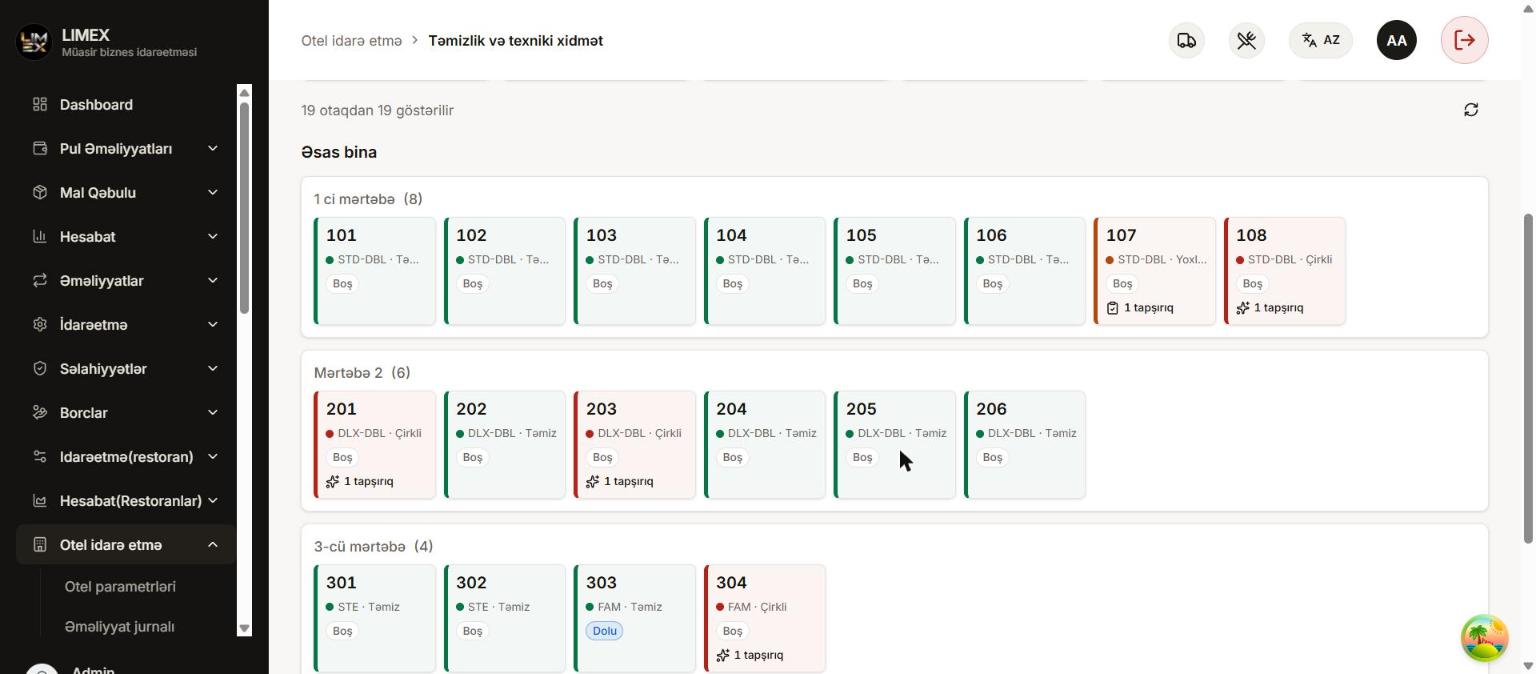
Room board
All rooms by floor with their status at a glance. As soon as housekeeping finishes a room, it is back on sale.
- Vacant, occupied, cleaning and blocked rooms by colour
- Housekeeping tasks and urgent jobs
- Maintenance and out-of-service blocks
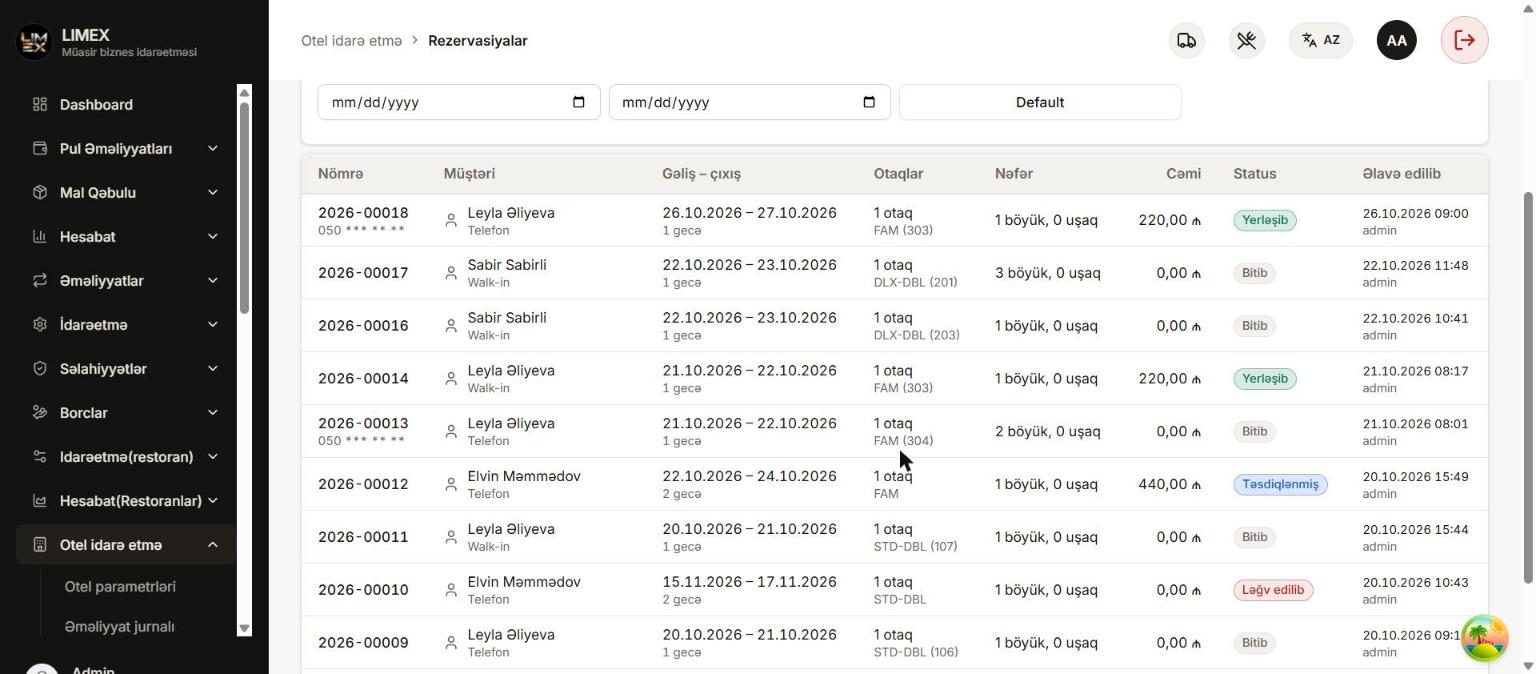
Reservations and availability
See free rooms on the availability calendar and create a booking in a few clicks. The price is calculated from nights and season.
- Option, confirmed, cancelled and no-show statuses
- Phone, Booking, website and walk-in sources
- Protection against selling the same room twice
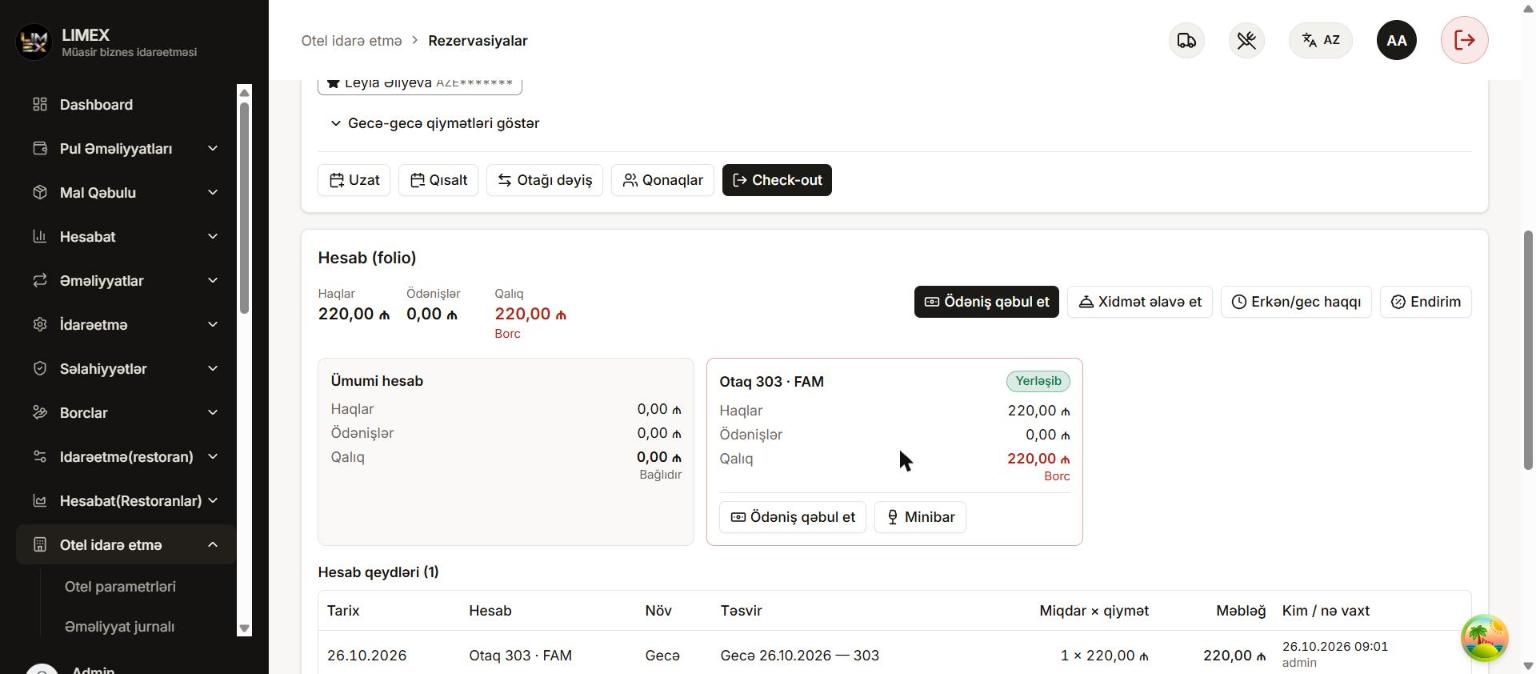
Guest folio
Room nights, restaurant, minibar and extra services on one folio. Take payments, print receipts, settle the balance and check out.
- Cash and card payments, deposits, refunds
- Discounts and early/late check-out fees
- Check-out with debt only with permission
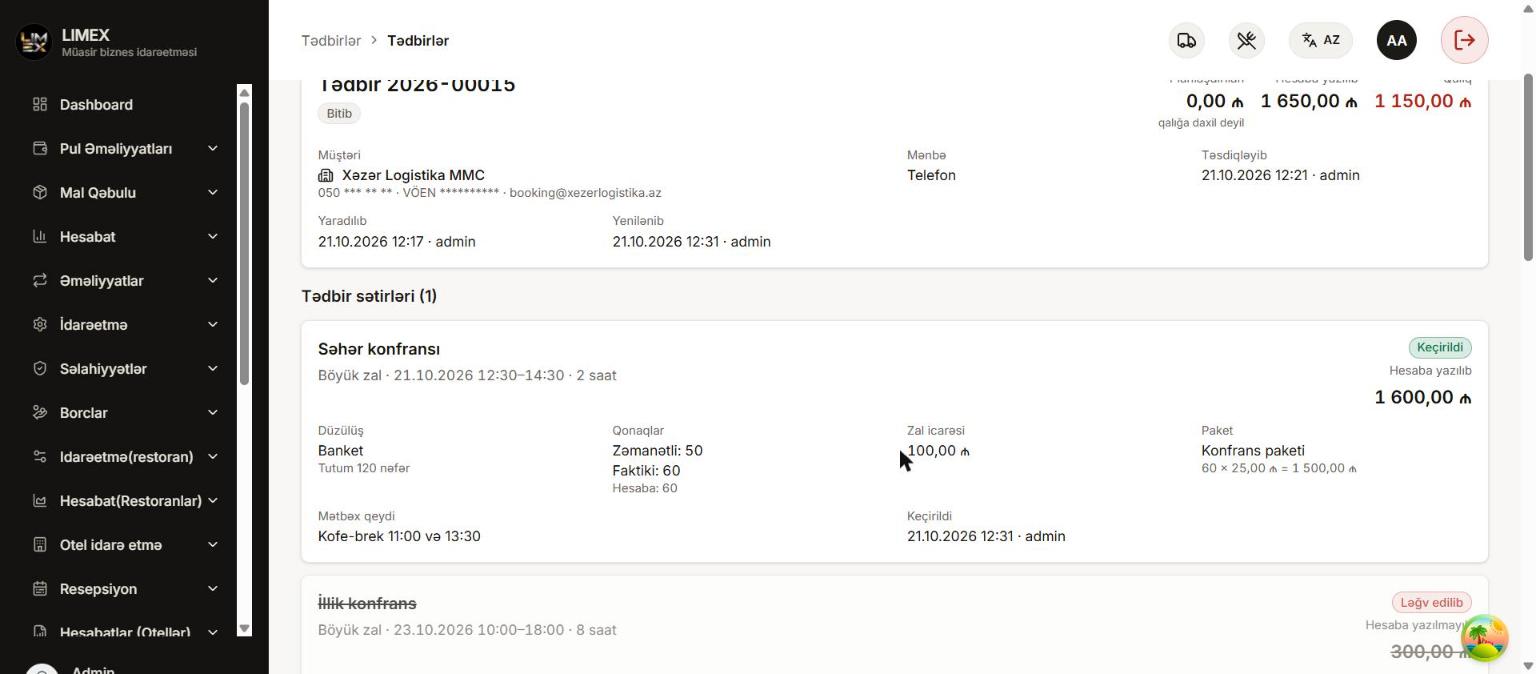
Event halls and packages
Plan halls for conferences, weddings and corporate events on a calendar, choose a package and see event revenue next to hotel revenue.
- Capacity by layout (theatre, banquet, classroom)
- Hourly and daily rates, packages
- Event calendar and event report
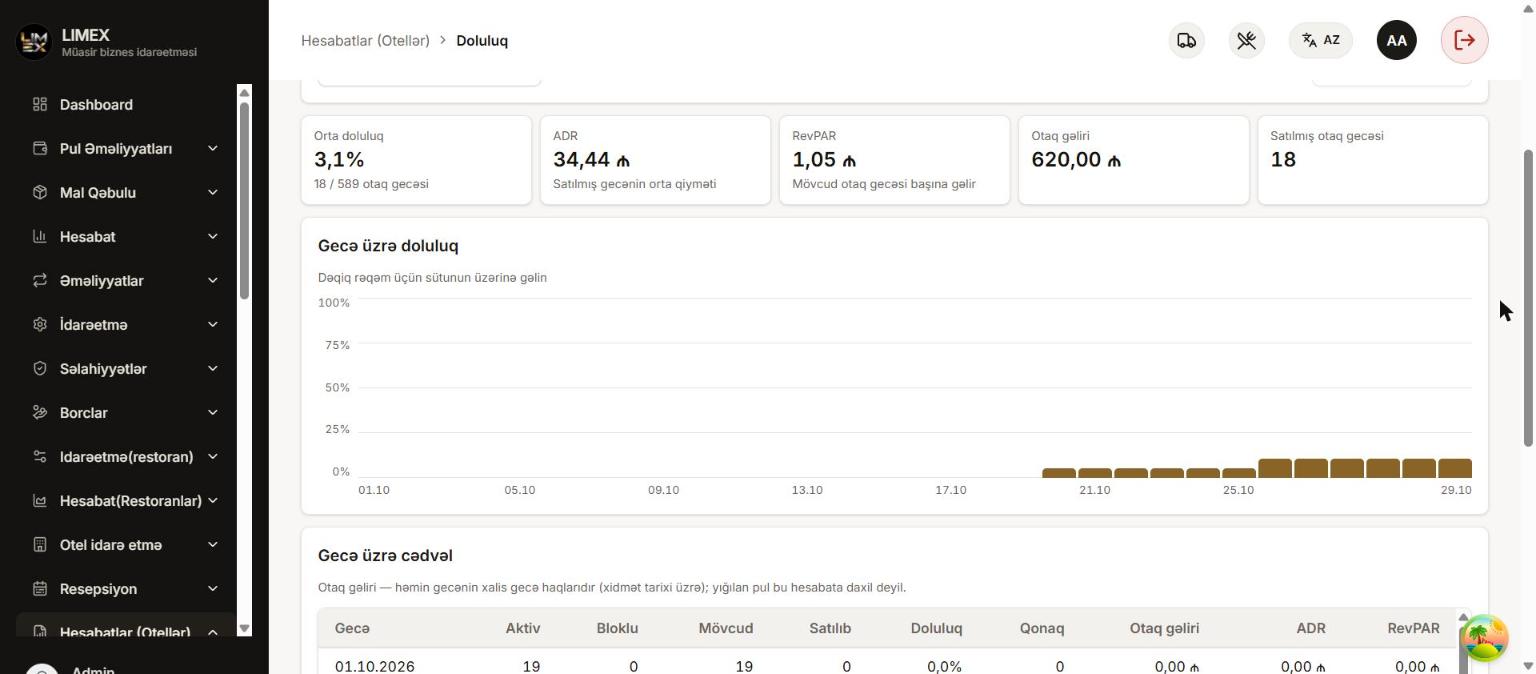
Occupancy and revenue reports
End of day, occupancy, revenue by room and service, payments and debts. Every report downloads as Excel and PDF.
- 13 ready-made hotel reports
- Payments by method: cash, card, room
- Cash desk report and shift closing
How it works
Every role does its own job
Each employee signs in with their role and sees only the screens they need.
Front desk
Reservations, check-in, check-out
- Creates a reservation from a phone or website request — the price is calculated automatically.
- When the guest arrives, checks them in from the arrivals list; a free, clean room is assigned.
- Takes deposits and payments during the stay, extends it or moves the guest if needed.
- At departure reviews the folio, settles the balance and checks out — the room goes to housekeeping.
Housekeeping
Room status and tasks
- After check-out the room switches to “cleaning” automatically and a task is created.
- The housekeeper sees their tasks on the room board.
- Cleans the room and marks it “Clean” — the room is back on sale.
- If something is broken, the room is blocked for maintenance and taken off sale.
Restaurant and minibar
Charges to the room
- The waiter opens the restaurant bill, or the minibar is checked.
- “Charge to room” is chosen as the payment method and the occupied room is selected.
- The amount lands on the guest’s folio at once and stock goes down.
- The guest pays all charges on one bill at check-out.
Owner and manager
Control and reports
- Sees occupancy, today’s revenue and payments on the dashboard.
- Gets the day’s summary in Telegram every morning: arrivals, departures, occupancy.
- Is alerted at once about cancellations, check-outs with debt and cash differences.
- Manages roles and permissions, downloads reports as Excel/PDF.
Telegram alerts
Know what happens at your hotel from your phone
The owner bot sends important events right away — no need to open the system.
Reservation cancelled
When a reservation is cancelled or the guest does not show up.
Check-out with debt
When a guest leaves with an unpaid balance on the folio.
Cash difference
When the counted cash at shift closing differs from the expected amount.
Large discount or reversal
When a discount above the limit is posted or a payment is voided.
Room blocked
When a room is blocked for maintenance or an urgent housekeeping task appears.
Morning summary
Every morning: today’s arrivals, departures, occupancy and housekeeping status.
Each alert type can be switched on or off separately.
Interactive demo
Try the system right now
A simplified demo that runs in your browser, no sign-up: a 12-room test hotel with the real flows.
Try the demo- Create a new reservation
- Check the guest in — the room becomes occupied
- Post minibar and restaurant charges to the room
- Take payment, check out and clean the room
Get an offer tailored to your business
Pricing depends on the size of your business and the modules you need. Get in touch — we will call you back and show the system live.